Full-text search.
Find relevant passages across open workspaces with ranked search powered by embedded SQLite FTS5.
 Weave.md
MARKDOWN WORKSPACE · DESKTOP & SELF-HOSTED
Notes, documentation
and the relationships between them.
Write Markdown, search across workspaces, render diagrams and track changes with Git. Use the native desktop app or host the same Rust engine for browser access from any device.
01 / WRITE, SEARCH AND EXPLORE
Keep project notes, system documentation and
decisions together. Follow a link to see
what depends on what.
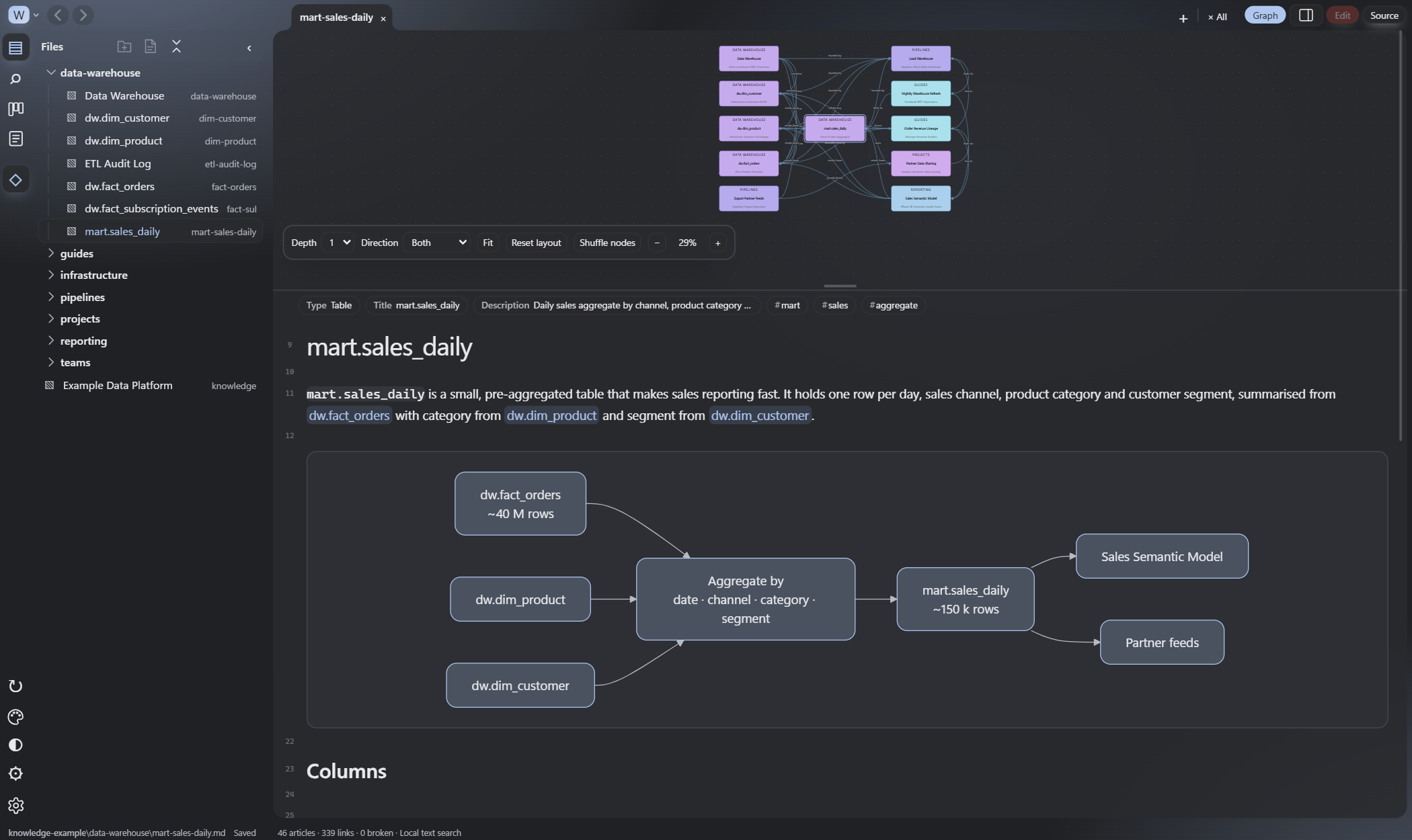
Label a link reads-from, depends-on or owned-by. Weave uses those relationships to build a directed graph around the article you’re reading.
The link remains standard Markdown. Read the same files in GitHub, VS Code or an AI agent’s context window.
Authoring formatLoads data into [Warehouse](./warehouse.md "writes-to").Illustrative example · Relationships become directed, labelled graph edges.
Find relevant passages across open workspaces with ranked search powered by embedded SQLite FTS5.
Keep personal notes, project docs and organisation knowledge open in one window, each in its own folder.
Write Mermaid code blocks and see diagrams rendered in place, with a live preview while editing. The Markdown file keeps the diagram source.
02 / SHARED RUST BACKEND
High-performance indexing,
search, graph queries and Git.
The native desktop app and self-hosted server use the same Weave engine. Host a workspace once and work with the same set of notes from your laptop, phone or tablet.
You can also enable the desktop app’s built-in web server to access selected workspaces from other devices. Desktop and browser access then share the backend, database and file watcher.
A Rust backend with the system WebView on Windows and Linux. Markdown stays in local folders you can use with other tools.
Desktop setupRun the dedicated headless server or Docker container. The browser interface reads and edits server-side notes, with built-in administrator authentication.
Self-hosting guideIncremental indexing, pooled database readers and graph queries limited to the neighbourhood you’re viewing keep foreground operations focused.
Performance design & measurementsBrowser access shares your hosted workspace. The current server uses one administrator identity; it does not provide separate per-user workspace permissions.
03 / VERSION CONTROL
Manage your knowledge base as a Git repository, with source control built into the workspace.
Standard Markdown files in a normal Git repository.
04 / WEAVE LITE
Build Weave Lite from the same source as the desktop and server apps. The output, weave_lite.html, is a self-contained, read-only browser interface.
Open the file in a browser, choose a Markdown folder, then browse your notes with the reader, search and relationship graph. No Weave installation or running server is needed.
To share a snapshot instead, export a workspace from Weave as one HTML file with the articles included. Recipients can read and search it offline.
Lite & export guidenpm ci
npm run buildOpen in browser → Choose Markdown folder
Read-only · No bundled articles · No server process
Build instructions05 / APPEARANCE
06 / OPEN KNOWLEDGE FORMAT
Weave works with Open Knowledge Format (OKF), Google Cloud’s open, human- and agent-friendly knowledge specification: Markdown files in folders, with YAML frontmatter for structured metadata.
Types, descriptions and standard links give agents context they can read directly. Document systems, record decisions or maintain a reference library in the same files you browse and edit in Weave.
Existing Markdown folders work too; OKF frontmatter is optional in Weave.
Read Google Cloud’s OKF specificationGET STARTED
Use an existing Markdown folder or try the bundled example library.
Run the portable Windows app, or use the Linux packages on Linux and ChromeOS. Open a Markdown folder to begin.
Get WeaveBuild and packaging instructions are included in the repository. For a read-only browser option, build Weave Lite.
Clone the repository, then launch the server with Docker Compose.
docker compose up -d --buildOpen localhost:8765 and create your administrator account. For remote access, follow the guide to configure HTTPS.
Self-hosting guide